Back to catalog
SEO / v1.2

weSeo Panel

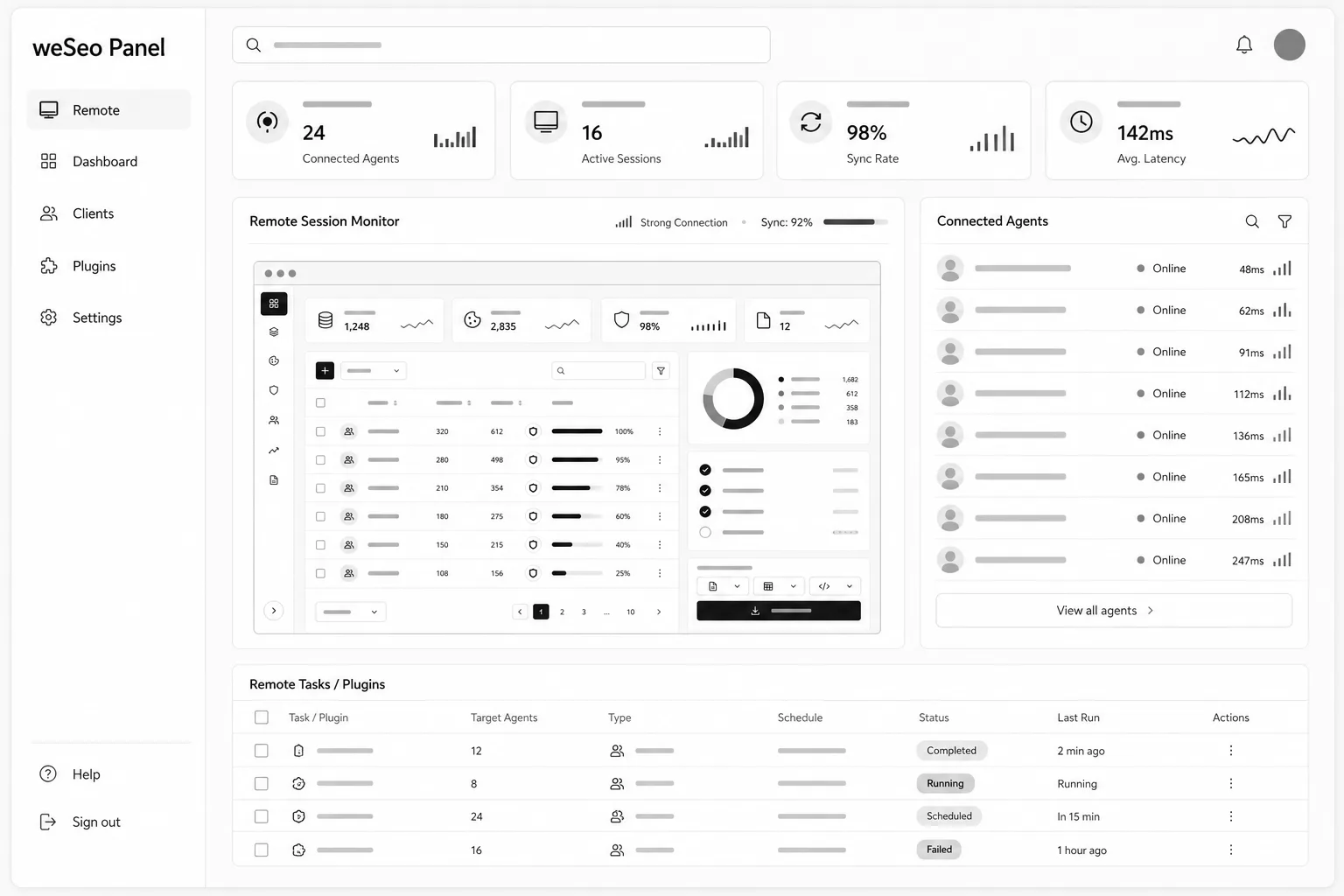
weSeo Panel is a web control center for managing your weSeo installs from the browser. Without logging into each server one by one, you can manage all servers from a single web panel and assign tasks to them. With a weSeo license you set tasks, proxies, cookies and schedules from the panel; without a license the included Windows plugin runs hit capacity. Combine both to scale licensed weSeo machines and plugin machines from one panel. The Windows machines that send hits stay yours—the panel steers them via weSeo or the plugin.

$250 / one-time
weSeo Panel profesyonel arayüz mockup'ı
01 / Product details

Manage all servers from one web panel; assign tasks.

weSeo Panel is a web control center for managing your weSeo installs from the browser. Without logging into each server one by one, you can manage all servers from a single web panel and assign tasks to them. With a weSeo license you set tasks, proxies, cookies and schedules from the panel; without a license the included Windows plugin runs hit capacity. Combine both to scale licensed weSeo machines and plugin machines from one panel. The Windows machines that send hits stay yours—the panel steers them via weSeo or the plugin.

Who it is for

Teams managing weSeo across multiple PCsOperators without a weSeo license who still want browser-based hitsHit resellers or sub-resellersMulti-client setups sharing proxy + cookie pools from one panel
Platform
Web / Windows
Version
1.2
License
One time
Price
$250 / one-time
02 / Features

What you get

Product capabilities in clear blocks.

01

Two engines, one panel

Manages weSeo and also runs without it; the lighter plugin loads JavaScript and aims for higher success than classic request-only systems.

  • Manage all servers from one web panel without logging into each server
  • Assign tasks to servers; bots pull the work
  • Without a weSeo license: connect the included plugin with API key and machine token; hits run via the plugin
  • Together: manage weSeo from the panel while running extra capacity on unlicensed machines via the plugin
02

Remote task management

Seven-tab weSeo bot profile, one-shot or recurring plans, live logs, pause, reset and clone—settings stay in sync with weSeo.

  • Tabs: main settings, proxy, fingerprint, on-site behavior, cookie, captcha, time filter
  • weSeo updates also reach the panel and panel plugin
03

Machines and PC limits

Add PCs from the machines list, copy the token once into weSeo or the plugin, and track remaining PC quota on the badge.

  • The Windows machines that send hits stay under your control
  • The panel manages those machines via weSeo or the plugin
04

Proxy and cookie pools

Share proxy and cookie groups from one panel and select them on tasks. On slow proxies set the first wait to 3–10 seconds.

  • Proxy group + proxy import
  • Cookie group + file/ZIP upload
05

API, Telegram and plugin updates

REST API (X-API-Key / Bearer), Telegram task notifications; plugin versions publish from the panel and bots pull the latest stable themselves.

  • Connect your own software via the API
  • API keys live under Settings; Telegram under Notifications
  • Contact us for detailed integration and connecting your own infrastructure
03 / Setup

Quick start

First steps after delivery.

  1. 01Purchase via WE Software; panel URL, username and password are delivered after purchase (username is not an email)
  2. 02Open the panel URL in a browser and sign in
  3. 03If you have a weSeo license, install weSeo on Windows; otherwise download the included plugin (no Python; Chrome may trigger UAC on first launch)
  4. 04Machines → New machine: name it, copy the yellow-box token once into weSeo or the plugin settings
  5. 05Optional: create a proxy group + import and a cookie group + file/ZIP upload
  6. 06Tasks → New task: fill the seven-tab form, pick a machine, save; watch the live log when the machine is online